Appointment Planning for
Metering Operations Teams
About Comgy
Comgy offers cloud based multi-metering operating system and modules for buildings. Real Estate and Housing Management companies within Germany and Europe uses the system to extract and visualise building energy consumption data.
The Challenge
In order to scale product offerings successfully, Comgy shifted
focus on larger companies that manage devices for bigger portfolios.
To offer those clients their needs, Comgy envisioned a seamless appointment management system that not only streamlines these planing operations but also works together with ComgyOS Issue Tracking module.
Previous product and tech logic could not achieve this status.
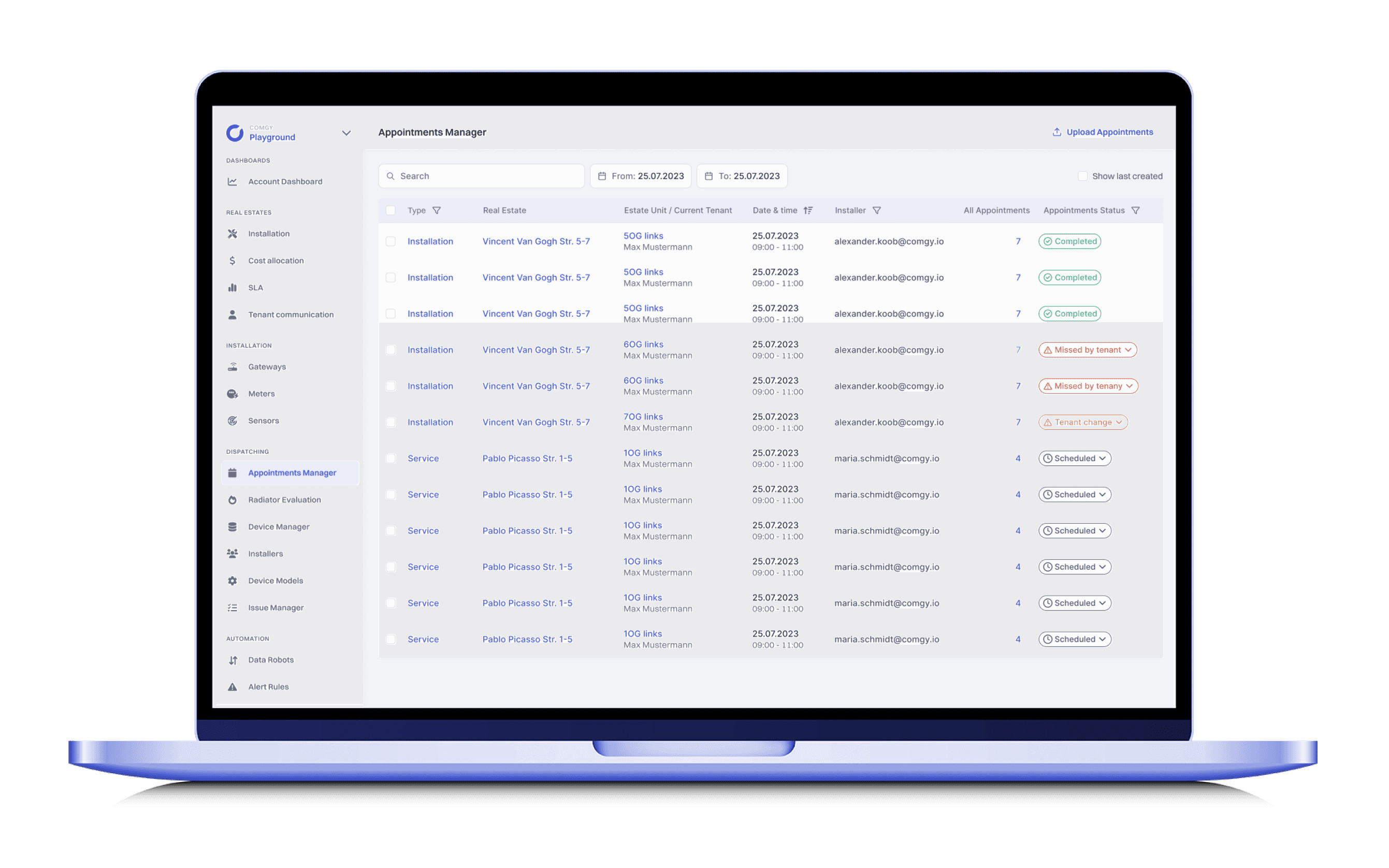
BUSINESS OBJECTIVES
Deliver Efficiency and Reliability
To offer those clients a useful product, we envisioned a seamless appointment management system that not only streamlines these planing operations but also works together with ComgyOS Issue Tracking module.
Previous product and tech logic could not achieve this status.
Cost efficiency
Every appointment has financial implications (installers time, costs for driving there). Improved process prevents losses due to inefficiencies or errors.
Gain trust with proven solution
Gain point of trust for the scalability and flexibility of our software application for big portfolio companies and multiple users in same roles.
DISCOVERY
Identify Who is Effected?
Appointment planning and post processes tackled by multiple roles at Real Estate companies. There are no specialists,
that works on the back office process. Therefore we understood that we should form a generalist archetype perspective
to the user groups.
Therefore the core target group for the appointment planning and processing use case currently are:
Property Managers
This role at a real estate company is the main
user of Comgy, for managing everything related to metering ops.
Service Providers
Contracted by real estate company to manage on-site jobs (eg. installation, reparation)
Listen and Gather Feedback
Every big company that has to plan appointments for many estate units is confronted with the issue of handling large amount of appointments data that needs to be dealt by multiple on site teams.
We braced ourselves with the use cases and dive deep into the exact problems and how they affect the way people are interacting with our product.

PROBLEM DEFINITION
Identifying Core Problem and Needs
In order to get a good understanding of the problems and how it affects the different users we first should check out our users and their usecase.
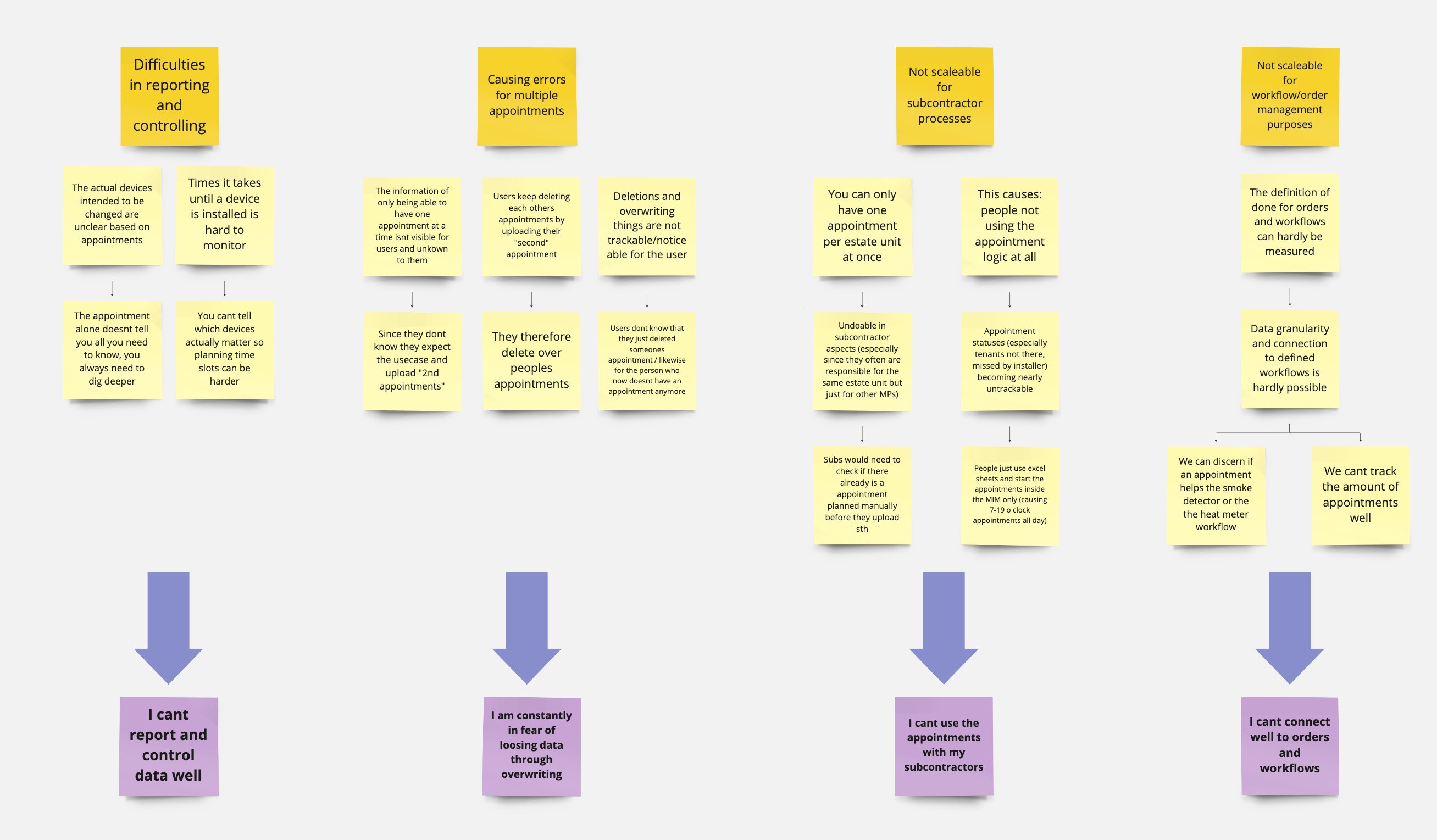
Missing flows for main use cases
Companies working with subcontractors often have to plan multiple appointments at once, and share this responsibility.
Users accept the risk of
loosing data
Current logic blocks users from create and update appointments at the same time, without loosing previous data.
Track appointment progresss
Appointments are not connected to any entity in the system. This blocks users from tracking and
measuring success.
SOLUTION IDEATION
Visualising Ideal Scenarios
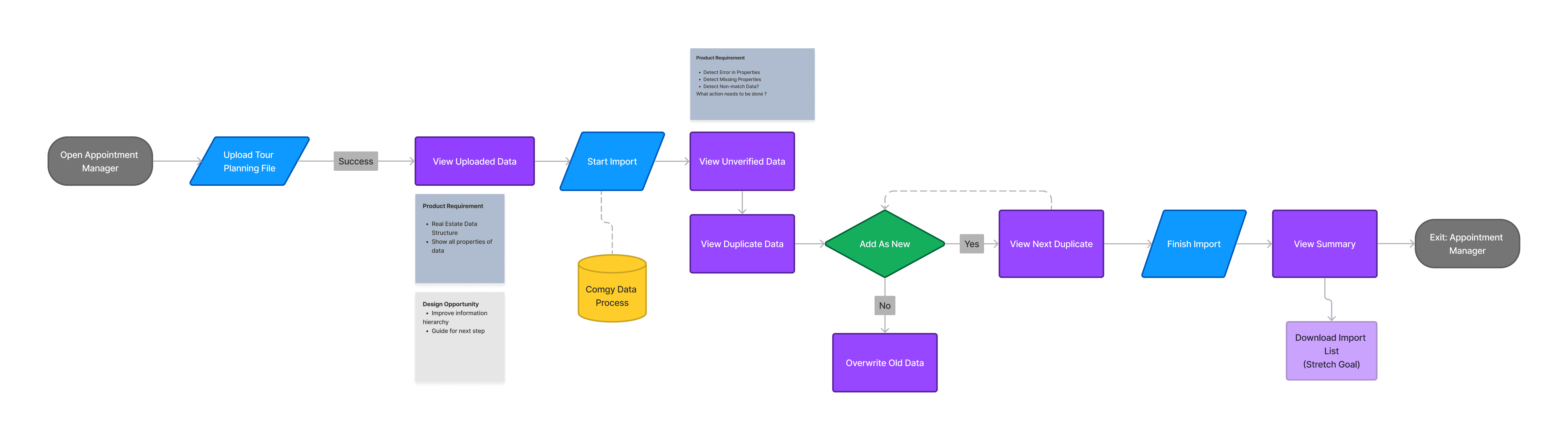
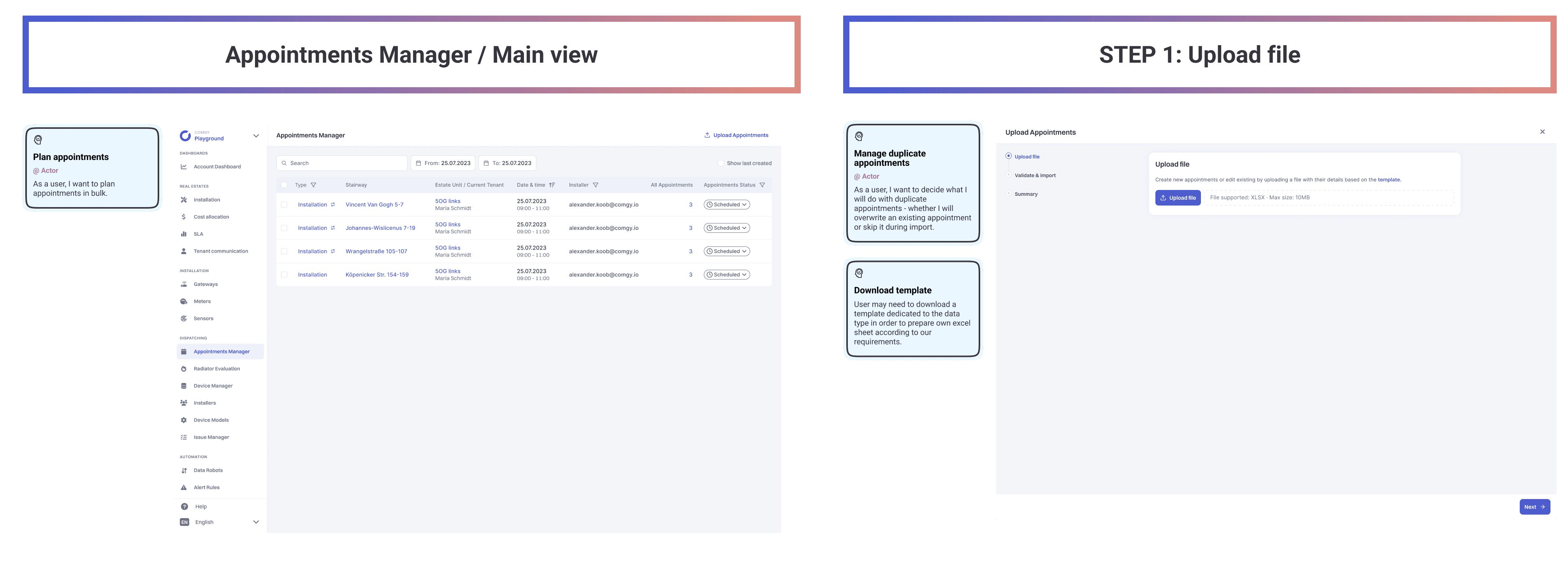
STEP 1
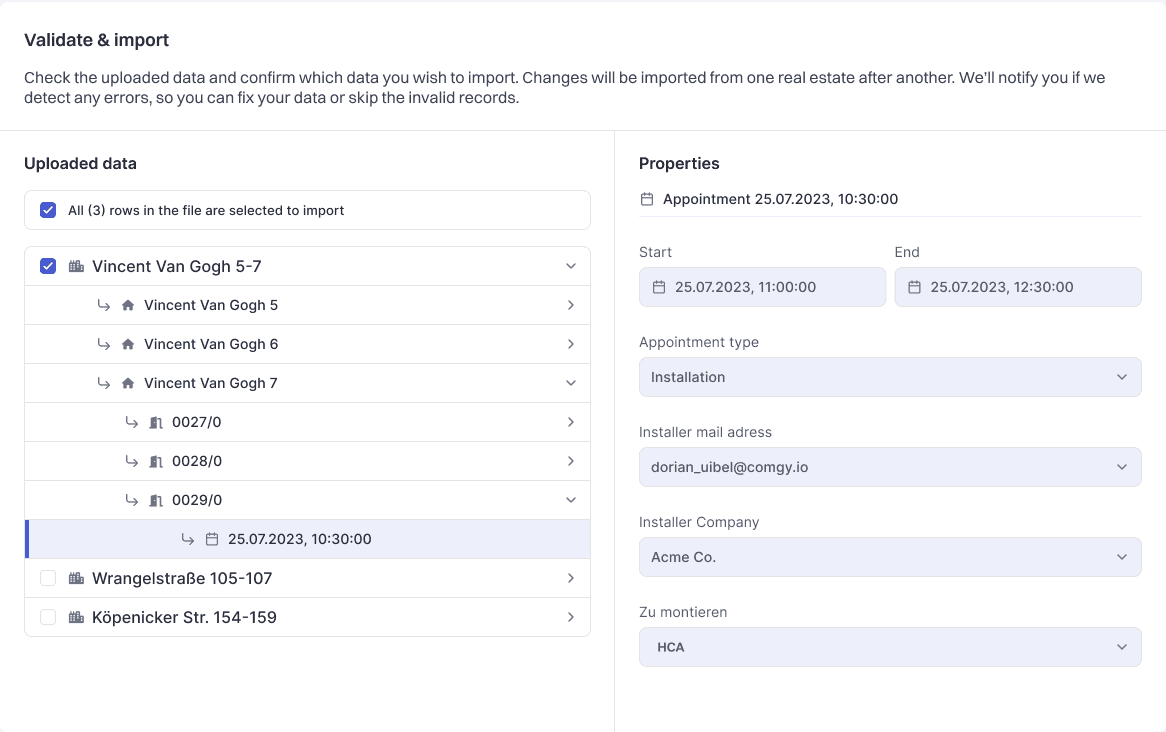
Upload Appointments and Preview Upload Data
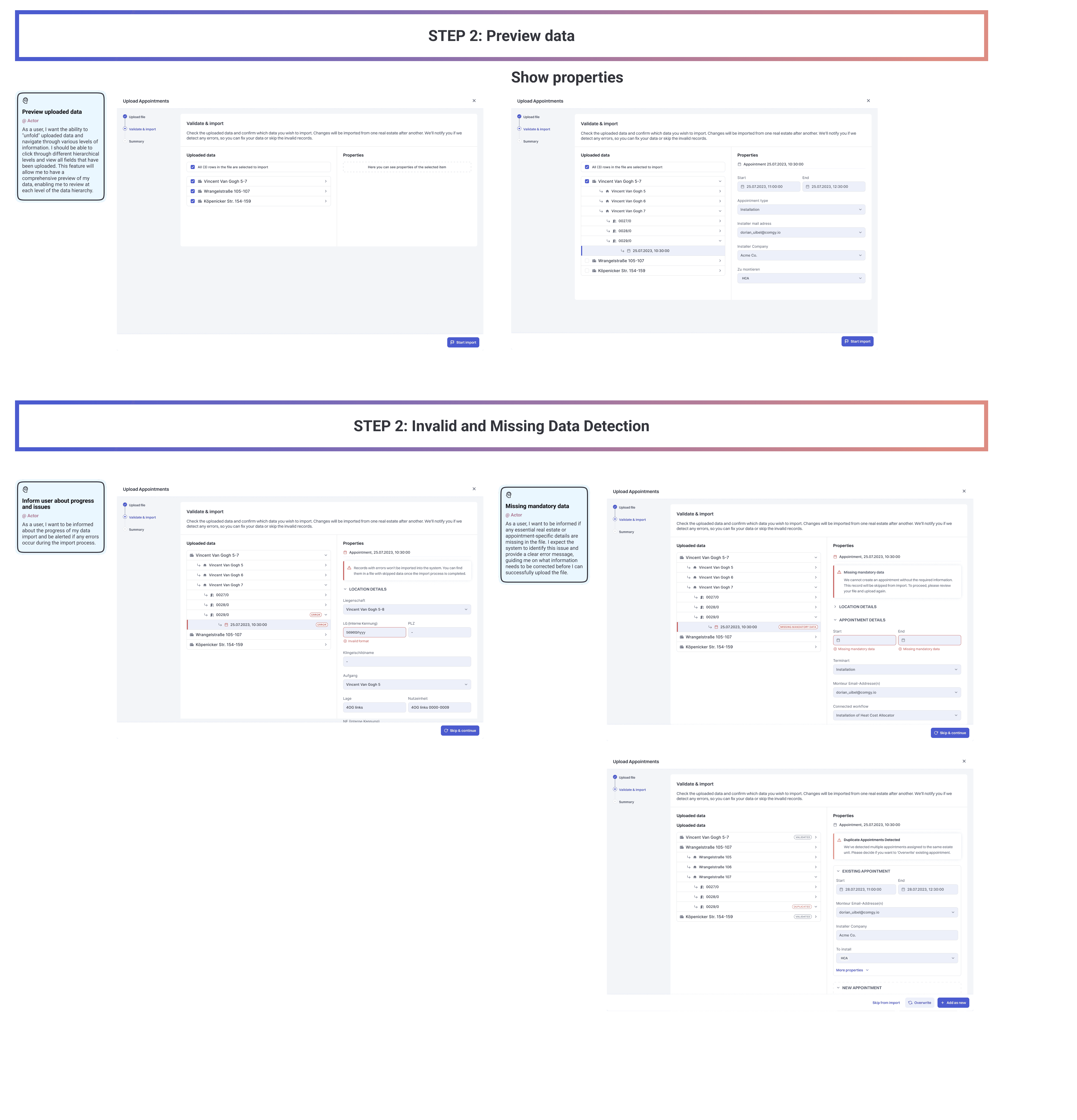
STEP 2
Preview appointment import data
The next step shows the user the summary of the uploaded appointments:
Successfully uploaded
Errors within data
Missing data
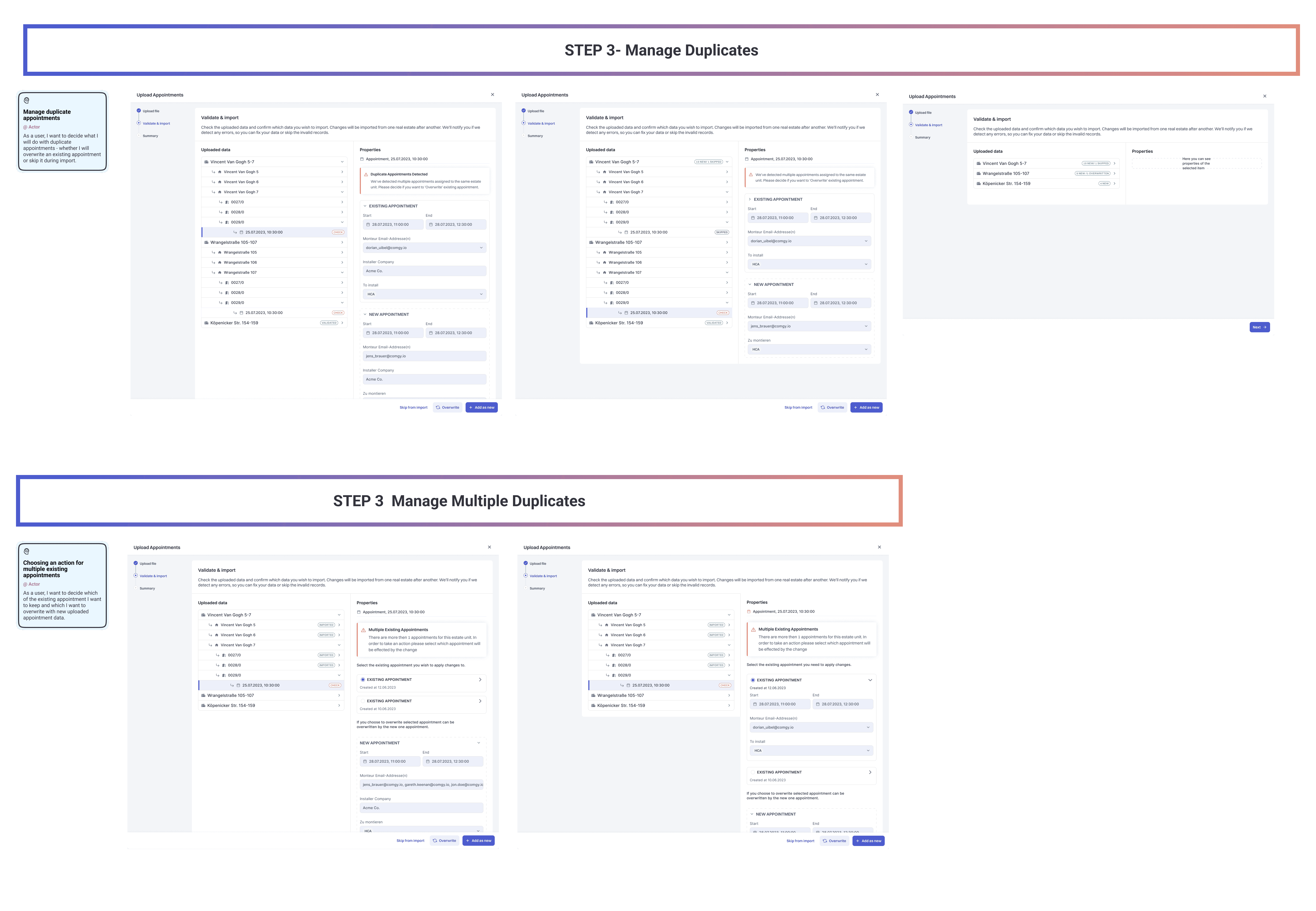
FINAL STEP: 3
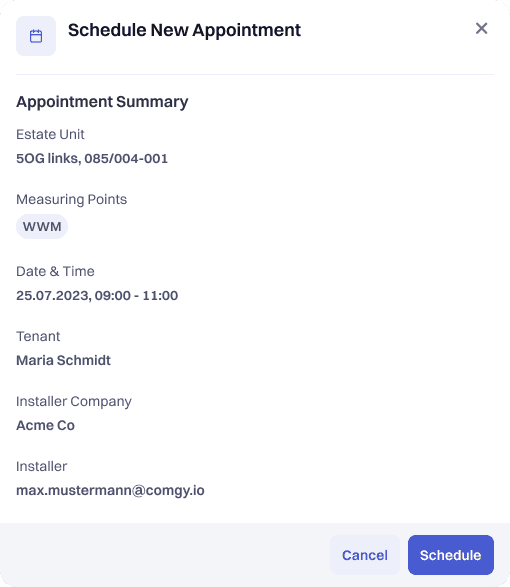
View results of the import, check and manage possible updates, second appointments
After the sucessful import only those appointments were all data was complete and could be used will move onward to this step.
RESULTS
Delivering On Expectations
Our the first release of bulk appointment imports and duplicate appointment management, we continued on our discovery with our main target groups. It was clear that user groups found the new upload appointment extreme helpful
compared to the old way they had to use. (Which was sharing excel format files with operations)
Overall we helped to solve most urgent problems. Feedback and continues discovered help us learn how duplicate management can be improve.